In our last series, we built a rock-solid, verifiably accurate enterprise AI architecture using Google AI. True architectural principles—like Defense in Depth, LLM routing, and mathematical evaluation—should survive regardless of the API endpoints you call.
To prove it, we are pivoting the stack. We are leaving the Google Cloud environment and stepping into the Microsoft Azure and Databricks ecosystem.
For Part 3 of the series, we aren't just building a chatbot. We are building an Agentic Data Engineer—an AI that sits alongside you, reads your enterprise metadata, and autonomously generates production-ready Databricks Spark Declarative Pipelines (SDP).
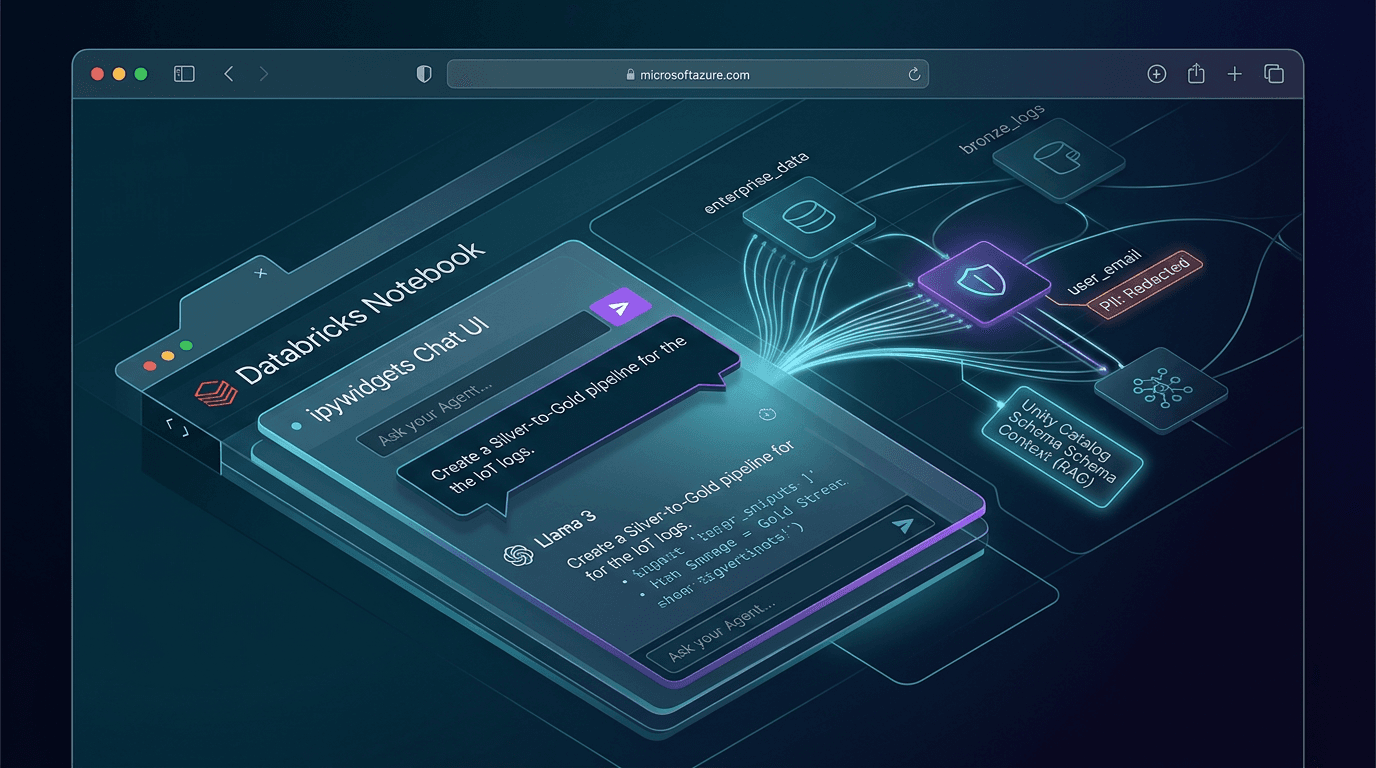
Today, in Post 1, we establish the foundation: building the conversational AI natively inside a Databricks Notebook using Databricks Foundation Model APIs, Unity Catalog, and zero frontend bloat.
Why the Notebook? Zero-Friction Engineering
In the first series, we spent weeks building React frontends, setting up Firebase authentication, and wiring API routes. We are not doing that here.
Data Engineers live in notebooks. If you want to build a tool for an engineer, you put the intelligence exactly where their hands already are. By building our agent directly into a Databricks cell using ipywidgets, the AI has native, zero-latency access to the spark session. It can generate code, read schemas, and test logic without ever leaving the environment.
The Architecture of the Agent
Our Databricks Agent relies on three core pillars:
1. The Semantic Layer (Unity Catalog as RAG)
LLMs are terrible at querying messy, raw data blind. If you force an AI to guess your table schemas, it will hallucinate column names.
Instead of a traditional vector database, Unity Catalog is our RAG (Retrieval-Augmented Generation) engine. Before the AI generates a single line of PySpark, it runs a background query against Unity Catalog's information_schema to retrieve exact column names, data types, and enterprise tags (like PII markers). The generation is physically grounded in your governed data dictionary.
2. The Brain (DBRX)
We are purposely not using a massive, generalist model for this task. We are using DBRX, Databricks' own open-source LLM, via the Foundation Model APIs. DBRX was heavily optimized to natively understand data engineering, complex SQL, and distributed cluster configurations. We are giving the agent the exact brain it needs to write production infrastructure without data ever leaving the cloud perimeter.
3. Disciplined Memory (The "Pinned" Window)
To maintain conversational history, the industry standard is to import massive, heavy frameworks like LangChain. As enterprise architects, we reject that bloat. LangChain introduces unnecessary abstractions for what is ultimately just appending JSON objects to an array.
However, a naive "sliding window" that just drops the oldest messages to save tokens will quickly delete our crucial System Prompt and Unity Catalog schema, blinding the agent mid-conversation.
Instead, we use native Python to build a Pinned Window:
MAX_TURNS = 6 # Limit to the last few back-and-forths
def trim_memory(chat_history):
    # If under the limit, do nothing
    if len(chat_history) <= MAX_TURNS + 2:
        return chat_history

    # PIN the System Prompt (index 0) and the Schema Context (index 1)
    pinned_foundation = chat_history[:2]

    # SLIDE the window on recent chatter
    recent_chatter = chat_history[-MAX_TURNS:]

    return pinned_foundation + recent_chatter
Zero abstraction. Cost controlled. Deterministic context.
The Code: Bringing it to Life
Here is the complete blueprint to build this interactive, context-aware agent entirely inside a single Databricks notebook cell.
import ipywidgets as widgets
from IPython.display import display, clear_output
from databricks.sdk import WorkspaceClient
from databricks.sdk.service.serving import ChatMessage, ChatMessageRole

# 1. Initialize the secure, tokenless Workspace Client
w = WorkspaceClient()

# 2. State Management (Native Python)
chat_history = [
   {
       "role": "system",
       "content": (
           "ROLE: You are an elite Senior Databricks Data Engineer.\n\n"
           "CONTEXT: You are tasked with designing automated, production-ready data pipelines based strictly on the provided Unity Catalog metadata and semantic schemas.\n\n"
           "CONSTRAINTS: You must strictly write Databricks Delta Live Tables (DLT) and Spark Declarative Pipelines (SDP). You must use the `@dlt.table` Python decorator. Do NOT generate standard `SparkSession` code. Do NOT generate Databricks Workflow YAML files. Never hallucinate column names outside of the provided context.\n\n"
           "OUTPUT: Return pure, declarative PySpark code. Omit conversational filler."
       )
   }
]

MAX_TURNS = 6 # Limit to the last few back-and-forths

def trim_memory(chat_history):
   # If under the limit, do nothing
   if len(chat_history) <= MAX_TURNS + 2:
       return chat_history

   # PIN the System Prompt (index 0) and the Schema Context (index 1)
   pinned_foundation = chat_history[:2]

   # SLIDE the window on recent chatter
   recent_chatter = chat_history[-MAX_TURNS:]

   return pinned_foundation + recent_chatter

# Helper: Simulated Semantic Lookup (In production, query system.information_schema)
def get_unity_catalog_schema(table_name):
   return f"Schema for {table_name}: [id: int, event_ts: timestamp, raw_payload: string, user_email: string (TAGGED: PII)]"

# 3. The UI Components
output_log = widgets.Output(layout={'border': '1px solid #4a4a4a', 'height': '400px', 'overflow': 'auto', 'padding': '10px'})
user_input = widgets.Text(placeholder="e.g., Cleanse the bronze logs...", layout={'width': '85%'})
submit_button = widgets.Button(description="Send", button_style='primary')
ui_box = widgets.HBox([user_input, submit_button])

# 4. The Core Execution Loop
def process_request(b):
   prompt = user_input.value
   user_input.value = "" # Clear UI

   with output_log:
       print(f"👤 Engineer: {prompt}")

       # Inject Semantic Context on the first turn
       if len(chat_history) == 1:
           print("🤖 Agent: Querying Unity Catalog for Semantic Context...")
           schema_context = get_unity_catalog_schema("bronze_logs")
           chat_history.append({"role": "user", "content": f"Context: {schema_context}\n\nTask: {prompt}"})
       else:
           chat_history.append({"role": "user", "content": prompt})


       print("🤖 Agent: Designing pipeline with Llama 4...")

       # Helper dictionary to map our string roles to the strict Databricks Enums
       role_mapping = {
           "system": ChatMessageRole.SYSTEM,
           "user": ChatMessageRole.USER,
           "assistant": ChatMessageRole.ASSISTANT
       }

       # Translate our lightweight dicts into Databricks ChatMessage objects
       sdk_messages = [
           ChatMessage(
               role=role_mapping[msg["role"]],
               content=msg["content"]
           ) for msg in chat_history
       ]

       # Call the Databricks Foundation Model API securely using the typed objects
       response = w.serving_endpoints.query(
           name="databricks-llama-4-maverick",  # Updated to use Llama 4 Maverick
           messages=sdk_messages,
           max_tokens=2048
       )
       agent_reply = response.choices[0].message.content
       print(f"✨ Generated Logic:\n{agent_reply}\n{'-'*40}")

       # Append to memory and trim
       chat_history.append({"role": "assistant", "content": agent_reply})

       # Apply our Pinned Window memory manager
       chat_history[:] = trim_memory(chat_history)

# Bind the UI
submit_button.on_click(process_request)
display(output_log, ui_box)
Run this cell, and a sleek chat interface appears. Ask for a pipeline, watch it read your Unity Catalog, and stream schema-aware PySpark back to you asynchronously.
What's Next?
We just built the interface and the brain. In Post 2, we will focus entirely on the output. We will show exactly how the Agent transforms a natural language request into a declarative Silver-to-Gold PySpark pipeline, generating the actual infrastructure required to run a modern data lake.